About Cybee
Security nobody has to own. Proof anyone can check.
We build security for the Macs small teams work on. They ask it questions in the AI assistant they already use. Protection is free, and when a client or an insurer asks for proof, the team can send it.
What you can check about us. Before you install anything.
- the company
cybee AG, a Swiss company in Zürich. Register number CHE-365.802.897.
- the people
Started by two co founders, Hekuran Doli and Kristian Kabashi. You can write to them.
- your data
Detection, checks and fixes run on your Mac. Your files stay there, and so do saved passwords and tokens. Only security facts and alerts about AI tool actions leave the Mac.
- the software
Apple notarized: Apple checked the Mac software for malicious content before release. The install script is public, so you can read it first.
- your say
No setting on a Mac changes until the person who uses it says yes.
- the limits
Cybee is not a certification and not an audit. Every record says what it could not see.
- the price
Protection is free on every Mac. The Cybee subscription has a published price.
- recognition
Best of Swiss Apps Hall of Fame 2025. The Pitch by Deel, Global Top 100 of about 40,000 startups. These recognise the company. They are not customer endorsements or security audits.
Small teams get asked for proof. The tools assume a security team.
Every small team is now asked to prove it is secure, and the tools that produce that proof were built for companies with a security department. That is wrong. Security should not need a degree or a budget.
-
the work
Small teams now do the work of big ones.
A few people on Macs, in an agency, a startup or on their own, who now use AI tools such as ChatGPT or Claude.
-
the askers
The people they deal with ask for proof.
“Can you prove you are secure?”
An insurer at renewal, a client before a deal, a partner, an auditor or a government body.
-
the tools
The proof tools were built for someone else.
One compliance vendor quoted a founder about thirty hours of their own time, even with automation.
So most small teams hope for the best. We built Cybee so that hoping is no longer the only affordable option.
Cybee is a Swiss, independent security company for small teams on Macs. One command installs protection on every Mac, hardens it to the CIS Benchmark and keeps a dated record of every control, run from the AI assistant the team already uses. When an insurer, a partner, a client, an auditor or a government body asks for proof, the team sends a Trust Passport: sealed, dated, verifiable.
The basics still matter. The work has changed.
We started with the basics: protect the devices, fix weak settings and show the work. Those needs have not gone away. AI agents have added a new one.
The same Mac can now hold client files, several AI tools and connections set up for a task nobody remembers. Cybee brings those tools into view alongside the protection a small business already needs.
-
the foundation
Protect the devices.
Stop bad software while it runs, and keep each Mac’s own safety settings switched on.
-
the changing work
Understand the AI tools.
See which AI agents sit on each Mac and what they are connected to, so nobody has to remember.
-
the proof
Show what was done.
A dated record a client can check for themselves, sealed as the Trust Passport.
The people who started Cybee. You can write to them.
Reach us at [email protected].
-
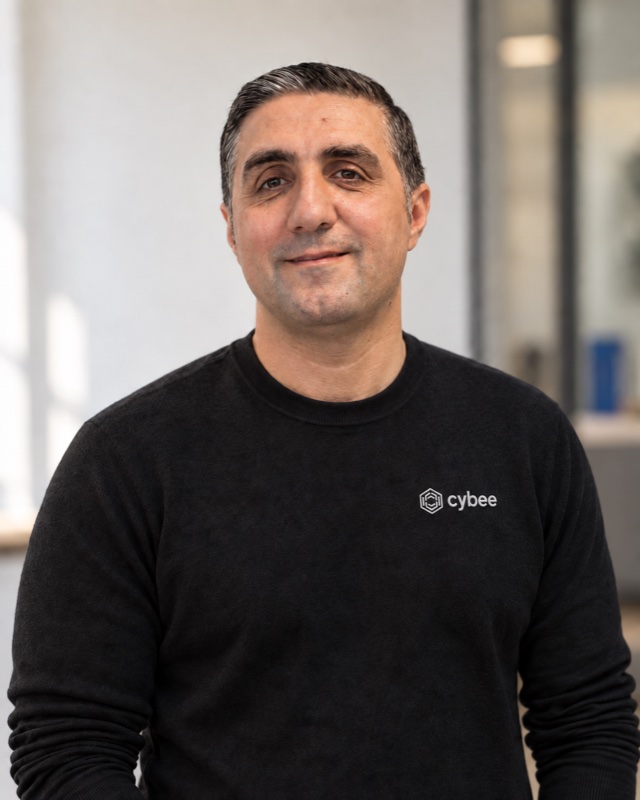
Hekuran Doli
Co founder, security
Hekuran has worked in cybersecurity with governments and with companies such as Allianz, Santander and Orange.
-
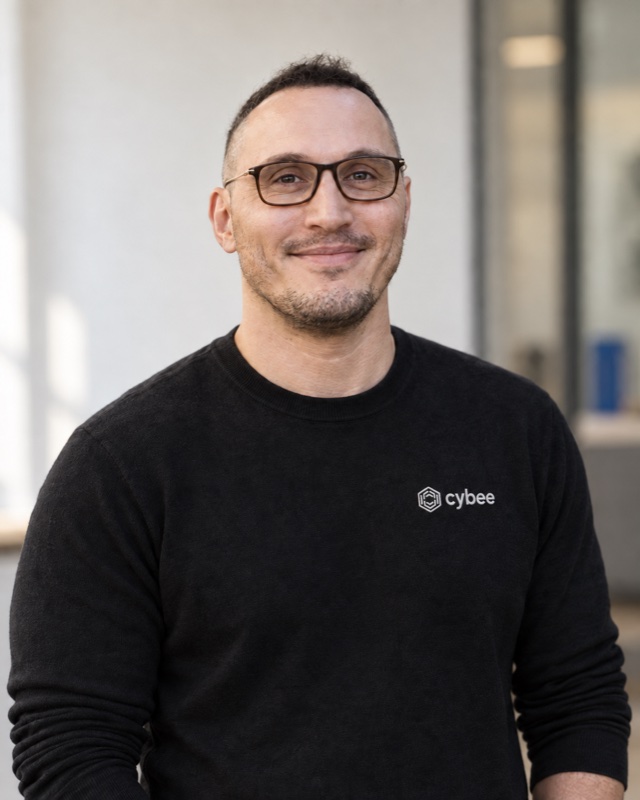
Kristian Kabashi
Co founder, business and AI
Kristian comes from business and AI, with executive and global roles at the agencies Dentsu, Havas and gyro. He built, scaled and exited an award winning Swiss fintech.
Why Cybee? Cyber meets bee.
The name takes its cue from the blue carpenter bee, Xylocopa caerulea. It works alone and needs no hive. It builds and provisions a protected chamber before it asks for anything back.
Independence, useful work and protection: those are the qualities we want the product to carry.
the namecyber + bee
- named after
- Xylocopa caerulea, the blue carpenter bee
- works
- alone, with no hive
- builds
- a protected chamber, before it asks for anything
Where to go next.
Your next client will ask. Be ready.
curl -sSf https://get.cybee.dev | shPress Command and C to copy.
Run it in Terminal, a chat, your IDE or a CLI. Keep working where you started.
What the command does
- Installs a notarized agent on this Mac.
- Creates no account. The install is identified by a token.
- Starts protecting the device at once.
- Changes no setting until you confirm it in your AI assistant.
- Asks for this Mac’s administrator password once, and for no email address.